Choose a plan
Your trial does not convert automatically. No card was taken for the trial, and choosing a paid plan is a separate decision.
Open Subscription
Review your current plan and the options shown for your account.
Compare Free and paid plans
Free supports one property and core record-keeping, but no live bank feeds. Compare property limits, receipt scanning, exports and bank-feed options against what you actually use.
Check the bank-feed terms
Review included feeds and optional add-ons before choosing. Accounts created by 31 December 2026 qualify for one live bank feed at no extra cost on Portfolio. This included feed continues while you are on Portfolio.
Choose paid, or continue on Free
Choose a paid plan only if you want it, and review the checkout details before confirming. Otherwise use the Free option shown for your account; where switching plans, the button may read Switch to Free. Check any property-limit guidance.
Check the current price and entitlement shown in Subscription. Trial expiry does not authorise an automatic charge.
Screenshot guide
Plan options
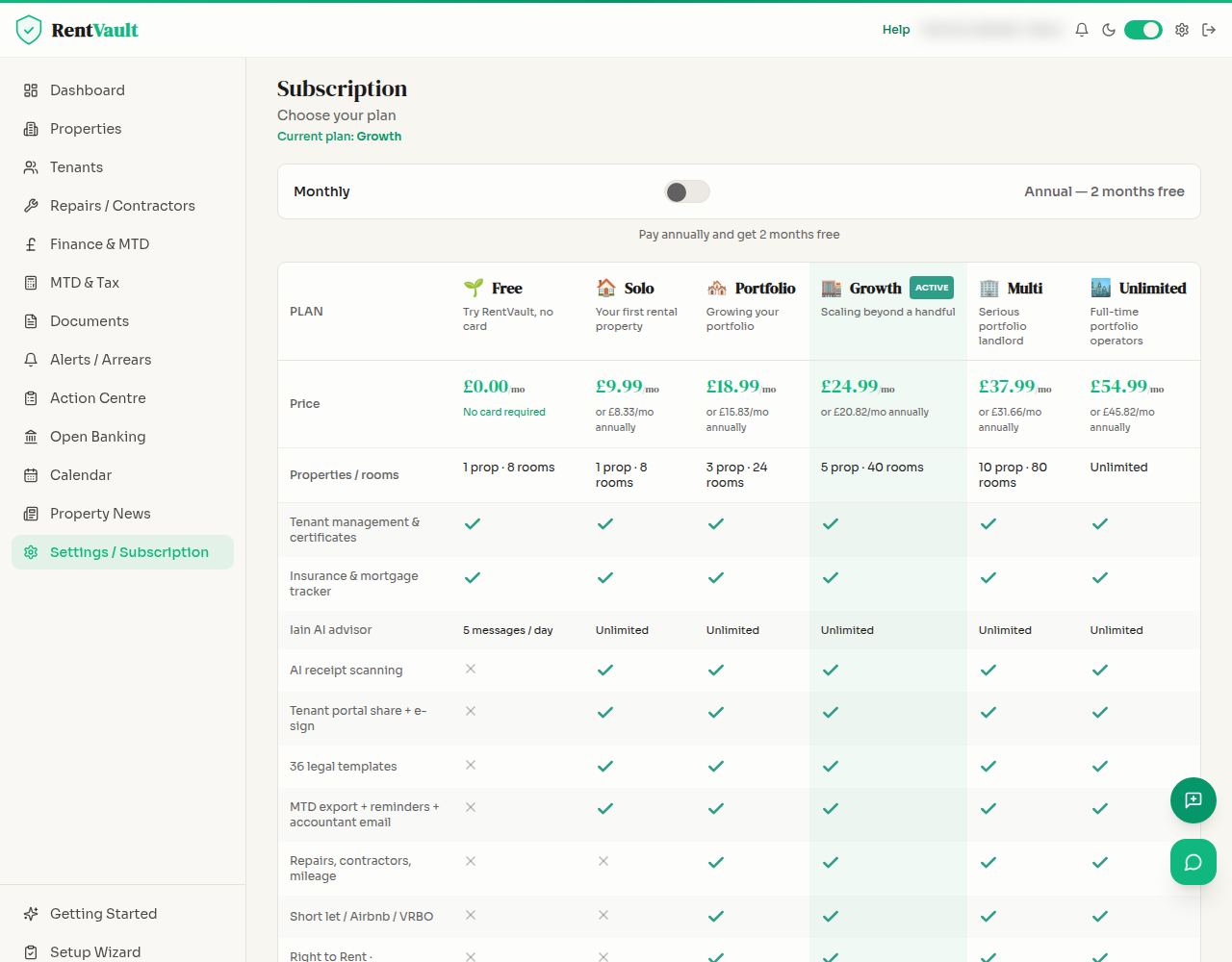
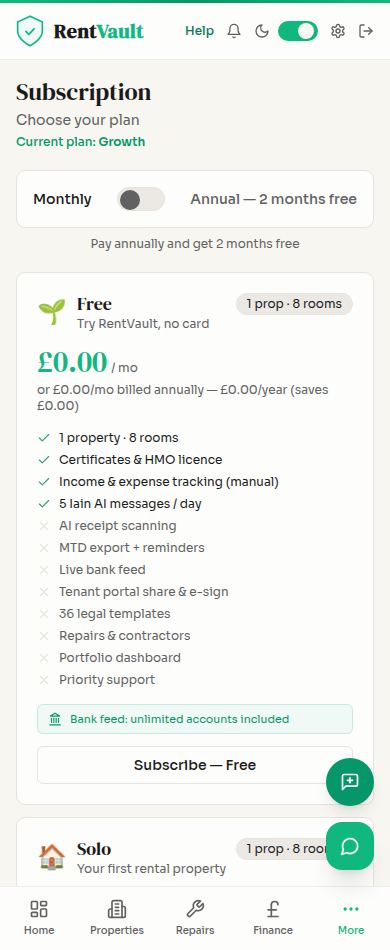
Open Subscription — sign in to use the app.
Need more help? Read how to use Iain, or email hello@rentvault.co.uk.